Terminal and app discovery
Sep 3, 2026 - ⧖ 3.0 minI love using the terminal. My standard dev tools are all terminal-based. If I'm forced to use Windows I can get everything set up through WSL. If I need to develop on the go I can ssh into my home server and write code with the same tools I always use. Unfortunately the terminal has an issue with knowing what to do.
So what does good app discovery look like?
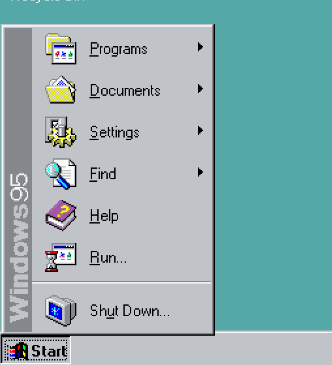
The Windows 95 Start Menu
How do you tell someone what a computer can do? This is the problem Microsoft tackled with the Start Menu. It's always in the bottom left of the screen, so it's easy to find. Any application installed in Windows has an entry in the Start Menu. You can lazily browse the menu to see everything the system has to offer. If you want to run an app, just click it. The Windows 95 start menu pioneered app discovery, to the point where most modern UIs borrow the idea.
The terminal, in comparison
Let's say I show you my Linux terminal and ask you to open a text editor. I make it a little easier by saying "Just type the name of the editor and press Enter". That can't be too hard, right?
editordoesn't do anythingeditdoesn't do anything (it does in Windows)edopens the most confusing text editor ever written. Surely that's not correct.- If you're vaguely familiar with linuxy systems you could try
vi, though if you're unfamiliar with modal editing you'll have a bad time
Is there anything in the terminal that guides you towards nano? Nope. Good luck finding it yourself.
What could we do about this?
One thing I like about the Universal Blue Linux distros (Project Bluefin, Aurora, Bazzite) is that they come with a tool called just and a config that makes it useful. just is a command runner, which lets you give nice names to more complex sets of instructions. It's supposed to be an alternative to a programming tool called make, but it's really good at running arbitrary applications too.
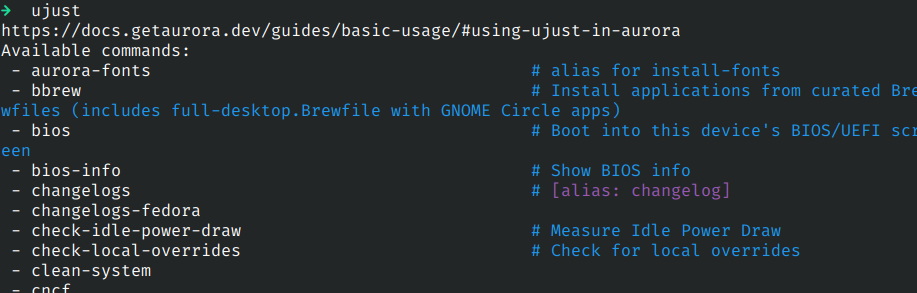
The Universal Blue distros create an alias called ujust. When run, it runs just with it's config. If it is run on it's own it lists everything it can do. For example, ujust update updates the system and ujust rebase-helper switches between standard and experimental update branches. If you have never used one of these distros, running ujust pushes you in the right direction.
We can do better than this. On my personal systems I have a "justfile" in my home folder, which I add shortcuts to. I have an alias nn (because it's easy to type) that runs just with my config. I can just type nn on any of my systems and get a list of everything I tend to do with my system.
Maybe this could be extended into something bigger. Perhaps a command called start that opens a terminal UI that provides a curated list of terminal apps. I want to revisit this idea to see if I can make the terminal more discoverable.